
Product and range catalogue design
Make a large product range easy to browse, compare and buy.
Catalogue systems built around clear navigation, repeatable product information and a brand-led editorial structure for print, sales and digital distribution.
- Best for
- Retail, trade and product ranges
- Core outputs
- Templates, pages and artwork
- Formats
- Print and digital PDF
Range information under control
Help buyers find the right product without losing the brand story.
Catalogues carry repeated information at scale. Categories, product names, codes, variants, dimensions, benefits, pricing and ordering details need a consistent structure that supports fast comparison.
I establish the navigation and modular page system first, then apply it across the full range so new sections and future editions remain manageable.
Three catalogue priorities
Navigation, consistency and controlled density.
The system has to hold together across the quietest and most information-heavy pages in the publication.
-
Findability
Create clear categories, contents, dividers and page cues that help users locate products quickly.
-
Comparable data
Give names, codes, variants and specifications consistent positions and hierarchy.
-
Scalable templates
Build modular page types that can absorb uneven product ranges without visual drift.
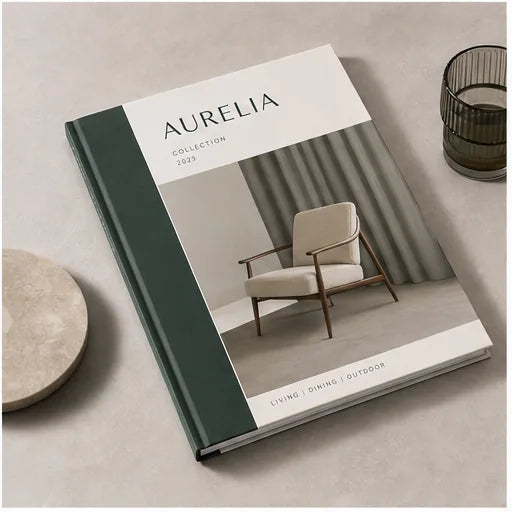
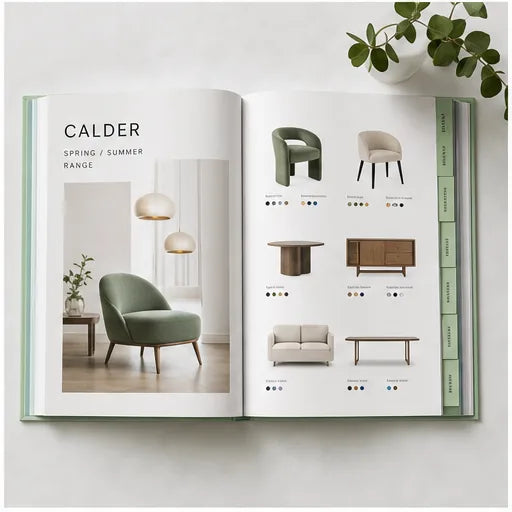
Catalogue production
The data, pagination and print plan need one source of truth.
Product content should be supplied in a consistent, approved structure. Changes to codes, specifications, prices or image selections late in pagination can affect multiple pages and review cycles.
Final artwork is prepared to the printer's page size, binding, bleed and colour specification. Screen editions can include bookmarks, active links and compressed imagery for easier distribution.
A clear working process
From product data to a finished range publication.
-
Audit
Review product data, imagery, categories, page count, formats and existing templates.
-
Systemise
Build navigation, master grids and representative product page types.
-
Populate
Apply approved content across the full publication with staged checks.
-
Finalise
Complete client proofing and release print and digital artwork.
Final copy approval, quantities, stock, finishing, colour expectations and print production remain subject to the appointed printer's specification and proofing process.
Catalogue scope
A modular system for the whole product range.
Page count, number of products, data quality, image readiness and update frequency determine the most efficient scope.
- Information architecture and contents
- Master grid and page templates
- Category and divider pages
- Product and specification layouts
- Print-ready catalogue artwork
- Linked and optimised digital PDF
Before the project begins
Catalogue Design questions.
How should product information be supplied?
A structured spreadsheet or database export is ideal, with consistent fields for names, codes, descriptions, variants, specifications and image references.
Can you create a template for future updates?
Yes. Reusable page types and a defined grid can make later editions more consistent, subject to the software and handoff agreed in scope.
Can the catalogue include active links?
Yes. Digital PDFs can include a linked contents page, website links, email links and product URLs.
Can you handle hundreds of products?
Yes, but the data, image naming, page rules and proofing process need to be established before population begins.
Who approves product accuracy?
The client remains responsible for prices, specifications, codes and all factual content. A final proof is supplied for sign-off.
Need to bring a large range under control?
Build a catalogue that buyers can actually use.
Share the product count, data format, image status, intended page size, print quantity and deadline. I will recommend the right template and production workflow.